

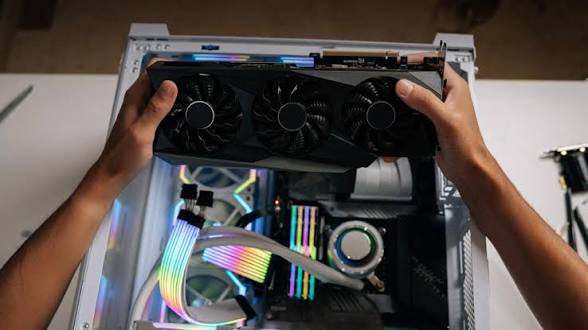
Last month, I watched a friend drop $800 on a graphics card for his new gaming rig. Three weeks later, he was complaining about stuttering framerates and thermal throttling. The problem wasn’t the price tag or the brand name plastered across the cooler, it was the chipset underneath, quietly sabotaging his entire build.
Here’s what nobody tells you: the GPU chipset is like the engine in a sports car. You can have the flashiest exterior and the most advanced cooling system, but if the engine can’t deliver consistent power when you need it, you’re just driving an expensive disappointment that looks fast while standing still.
Why does architecture actually matter?
Forget the marketing specs for a moment, they’re mostly noise anyway. The chipset architecture determines how your GPU handles everything from memory bandwidth to power efficiency, and the differences can be staggering. Some architectures excel at parallel processing but choke on complex shaders like a sports car trying to climb a mountain. Others prioritize raw computational power over thermal management, which sounds impressive until your card starts thermal throttling during the climactic boss fight.
Take NVIDIA’s Turing architecture versus their older Pascal designs. Both can push pixels, but Turing’s RT cores fundamentally changed how ray tracing workloads get processed, that’s not something you can upgrade with a driver update or wishful thinking.
AMD’s RDNA architecture follows a similar philosophy but with different trade-offs. Almost like they’re playing an entirely different game with the same rules.
Memory bandwidth: the unsung hero
I used to think memory bandwidth was just a number on a spec sheet. Boy, was I wrong. Then I spent a weekend troubleshooting why identical games performed differently on cards with the same VRAM capacity, and the rabbit hole kept getting deeper.
Width of the memory bus matters more than you’d expect, though it’s not the whole story. A 256-bit bus can move data twice as fast as a 128-bit bus, assuming the same memory speed, but some chipsets compensate for narrower buses with faster memory types or compression algorithms that border on wizardry.
GDDR6 versus GDDR5 isn’t just about raw speed. The newer standard handles multiple data transfers per clock cycle more efficiently, which means your 1440p gaming sessions will thank you when textures load instantly instead of popping in seconds later like some kind of digital magic trick.
Real-world example: mid-range sweet spot
Consider something like the NVIDIA GeForce GTX 1650 chipset. On paper? Not breaking any performance records. But the TU117 architecture underneath delivers surprisingly consistent framerates at 1080p because it balances computational units with memory bandwidth sensibly, without any dramatic bottlenecks that make you question your life choices.
That’s the thing about chipset selection, and this genuinely frustrates me when people overlook it. Sometimes the “best” choice isn’t the one with the highest numbers screaming from every tech blog. It’s the one that matches your actual workload without creating bottlenecks elsewhere in your system.
Power delivery gets messy fast
Every chipset has a thermal envelope it operates within, and when you push beyond that threshold, performance tanks faster than a lead balloon in a hurricane. The relationship between power consumption and heat output isn’t linear, either. More like an exponential curve that punishes excess.
Modern chipsets include dynamic boost algorithms that adjust clock speeds based on temperature sensors. Sounds great. Until you realize that poor case airflow can throttle your expensive GPU down to budget-tier performance levels, making your investment feel like throwing money into a very expensive space heater.
Some architectures handle thermal stress better than others, sacrificing peak performance for sustained performance. Which matters more during extended gaming sessions than synthetic benchmarks.
Manufacturing process: smaller isn’t always better
The nanometer rating affects everything, though the marketing departments would have you believe it’s the only thing that matters. Smaller transistors generally mean better power efficiency and higher clock speeds, but they also cost more to produce and can be more sensitive to voltage fluctuations. Which explains why some flagship cards are so temperamental.
A 7nm chipset isn’t automatically better than a 12nm one, despite what the numbers suggest. Design teams make trade-offs between transistor density, power consumption, and manufacturing yield that can completely upend conventional wisdom.
Compatibility: the boring stuff that ruins everything
Does your motherboard’s PCIe slot support the full bandwidth your chosen chipset can use? PCIe 3.0 versus 4.0 matters for high-end cards, but most mid-range options won’t saturate even the older standard. Which makes sense, actually.
Your power supply’s 12V rail capacity determines what you can actually install. A 500W PSU might technically support a power-hungry chipset on paper, but if the 12V rail can’t deliver clean power under load, you’ll get crashes instead of framerates.
Not great.
Look, there’s no perfect chipset for every scenario, I’ve learned this the hard way through years of building systems that looked perfect on paper but failed in practice. Understanding these factors helps you avoid expensive mistakes that’ll haunt your wallet for months. The goal isn’t to buy the most powerful option available. It’s to find the chipset that matches your specific needs without breaking your budget or turning your PC into a space heater.
